Hytale Update 6 Character Customization Changes
See every Hytale Update 6 avatar and cosmetic change that affects character recipes: hair colors, ear alignment, outfit reworks, labels, and preset checks.
Hytale Update 6 changed character customization in ways that can make an old recipe look different even when its saved choices still load. The August 27, 2026 release adjusted every haircut, corrected ear-accessory alignment, visually reworked 15 named cosmetics, added color options to three items, fixed two cosmetic labels, and added the Bastion Cape. The current official hotfix line is Update 6 / version 0.6.2.
Source check: Reviewed August 31, 2026 against the final Hytale Update 6 patch notes and the official Update 6 hotfixes. The hotfix page identifies 0.6.2 as the latest explicit game version in this review. This is a fan-made recipe-maintenance guide, not an official patch mirror.
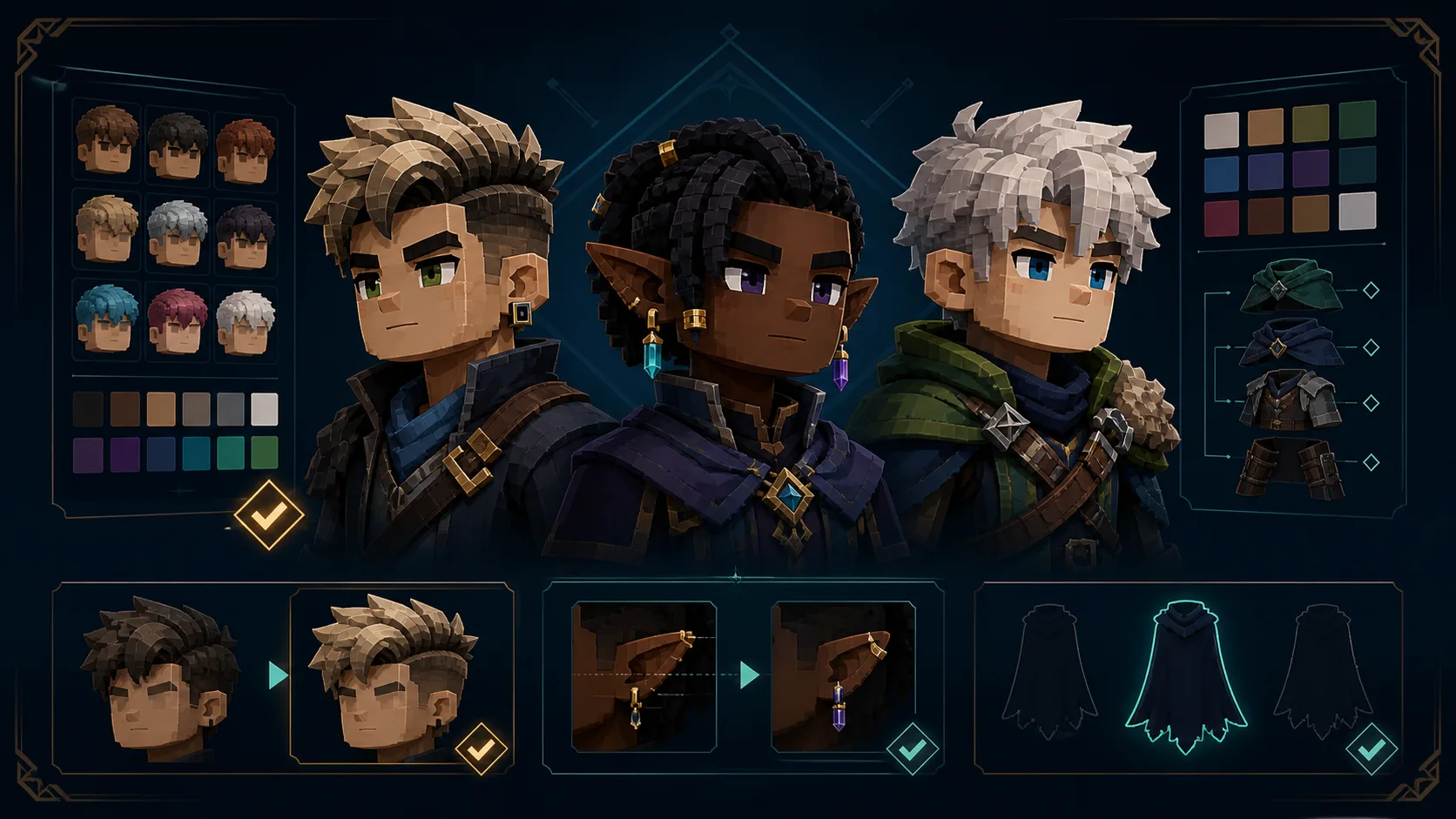
Hytale Update 6 customization changes at a glance
| Official Update 6 change | What it means for a recipe | Archive status on August 31 |
|---|---|---|
| Every haircut received a visual pass and color tuning | The token may still load while the silhouette or shade in an older screenshot is stale. | Keep the token; compare current creator output before replacing the screenshot. |
| Ear accessories received alignment improvements | Earrings may sit more cleanly, especially beside different ear and hair shapes. | Recheck ear-led characters in the current creator. |
| 15 named cosmetics were visually reworked | Clothing and headwear can change without a new item name. | Treat affected screenshots as a review queue, not automatically broken. |
| Alpine Explorer's Jumper, Crown, and Thigh-High Stockings received new colors | A stronger palette match may now exist for an old build. | Exact new machine color IDs and hex values are not published in the notes, so this archive does not invent them. |
Felin and Plain Hoodie labels were corrected | Written creator paths should use Feline and Plain Jersey. | The site now applies these two verified display-name corrections over its preserved Update 2 snapshot. |
| Renamed cosmetics are repaired when a player logs in | Saved avatars should recover renamed selections, but the changed slots are still shown for review. | Reopen the affected slot and confirm the final look before recapturing evidence. |
| Bastion Cape was added for accounts with 2FA | There is a new cape option with an account requirement. | The old data snapshot has no verified machine token for it; this guide records the feature without fabricating a recipe value. |
What changed from Update 2 to Update 6?
Our earlier Update 2 character creator guide covered new blindfold and mask options, six named haircut updates, white fantasy cotton, armor visibility, color-name tooltips, and cape animation. Update 6 is broader in a different way: it applies a visual pass to all haircuts, changes accessory alignment, revises a set of existing outfit assets, and repairs naming and saved-avatar compatibility.
| Version | Recipe-maintenance focus |
|---|---|
| Update 2 — January 24, 2026 | New face choices, selected haircut updates, clearer color names, and better screenshot control. |
| Update 6 / 0.6.2 — August 27, 2026 | Whole-hair-library visual review, ear alignment, outfit reworks, new colors, corrected labels, and saved-cosmetic repair. |
This distinction matters. Update 2 gave builders more choices and clearer documentation. Update 6 makes a larger set of existing choices worth visually rechecking.
Every named cosmetic rework
The final notes identify 15 cosmetics with visual reworks:
- Alpine Explorer's Jumper
- Bulky Beanie
- Cowboy Hat
- Elf Hat
- Floppy Beanie
- Forehead Protector
- Frostwarden Cape
- Frostwarden Hat
- Gold Trim Shirt
- Headband
- Horned Helmet
- King's Cape
- Leather Cap
- One Piece School Dress
- Workout Cap
A visual rework is not the same as a token rename. If an old recipe uses one of these items, keep its stored selection until the current creator proves that the fit no longer works. Then compare silhouette, color balance, clipping, and thumbnail recognition before updating the page.
The first concrete review targets include Naruto Uzumaki and Namikaze Minato, which use the Forehead Protector, plus Dinch, which uses the Leather Cap. Their stored choices can remain valid while their old screenshots deserve a fresh visual check.
New color options: useful, but not machine data yet
Update 6 adds color options to Alpine Explorer's Jumper, Crown, and Thigh-High Stockings. That can improve a recipe whose main limitation was palette rather than shape. For example, Prince Gumball uses the Crown, while Angel, Arthur Morgan, Walter White, and Tanjiro use the plain thigh-high stocking item.
The official notes do not list the new internal color IDs or hex values. A truthful recipe archive should therefore separate three claims:
- Verified: new color options shipped for the three named cosmetics.
- Not yet verified: the exact machine IDs and color values used by 0.6.2.
- Needs in-game review: whether a new swatch improves a specific character build.
That boundary prevents a plausible-looking color name from becoming false recipe data.
Feline and Plain Jersey are the current labels
The Update 6 notes explicitly correct two Avatar Editor display names: Felin becomes Feline, and Plain Hoodie becomes Plain Jersey. These changes affect instructions even if the underlying cosmetic ID is stable.
This archive preserves its January 24 Update 2 cosmetics snapshot and layers the two official name corrections over it. That keeps the historical dataset auditable while current recipe pages use the corrected player-facing labels. Builds that use Cat_Eyes, such as Ahri Urban, Geralt, and Muzan, should now read Feline in the recipe UI.
How to recheck an old preset safely
Use this order when opening a pre-Update 6 build:
- Log in and note any renamed-cosmetic repair message or highlighted slot.
- Save a copy before changing the original avatar preset.
- Compare the haircut silhouette and shade at the same camera angle as the old screenshot.
- Check ear accessories from the front and side for alignment changes.
- If the build uses one of the 15 named reworks, compare the full outfit before changing a token.
- Review the three cosmetics with new colors only in the context of the finished palette.
- Capture a neutral replacement screenshot only when the current result is meaningfully different.
For the full build sequence, use the Hytale Character Creator guide. It explains how to preserve silhouette and color logic instead of treating a recipe as a flat shopping list.
What the archive audit found
The site's full cosmetics file is still a dated Update 2 snapshot, so we also ran a read-only token audit over 88 production D1 records marked published and indexable. The old snapshot produced 25 unresolved token or color warnings across 17 records. Those warnings do not prove the recipes are invalid; they prove the old data cannot fully explain current recipe values.
That is why this release applies only the two verified name corrections. New colors, Bastion Cape data, and visual changes remain explicit review items until they have current machine identifiers or in-game evidence. The deeper maintenance record is kept in the repository's Update 2-to-6 cosmetics audit.
What Update 6 still does not prove
Patch notes can prove that a feature or cosmetic changed. They cannot prove that every archived screenshot was recaptured, every public preset was tested in 0.6.2, or every current token has been exported from the game. This page keeps those evidence levels separate.
For forward-looking ideas that have not shipped, read what Hytale could add next. For earlier changes that are still useful to builders, keep the Update 2 guide beside this page. Together they separate historical changes, current verified facts, and future predictions instead of mixing all three into one generic update article.