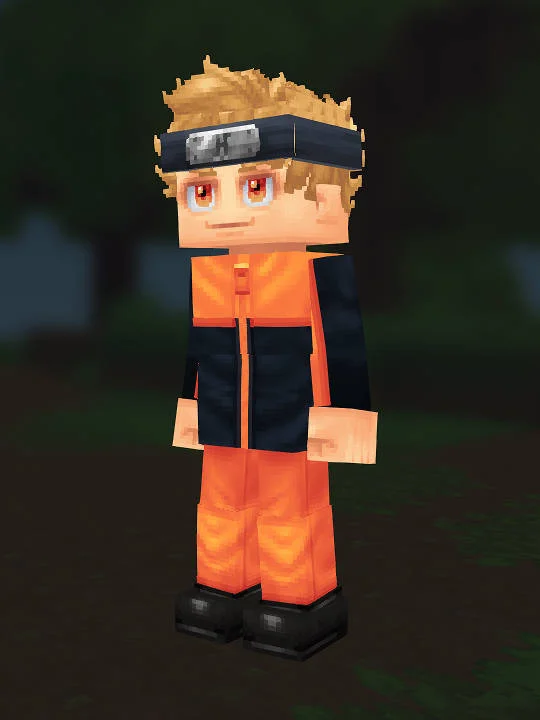
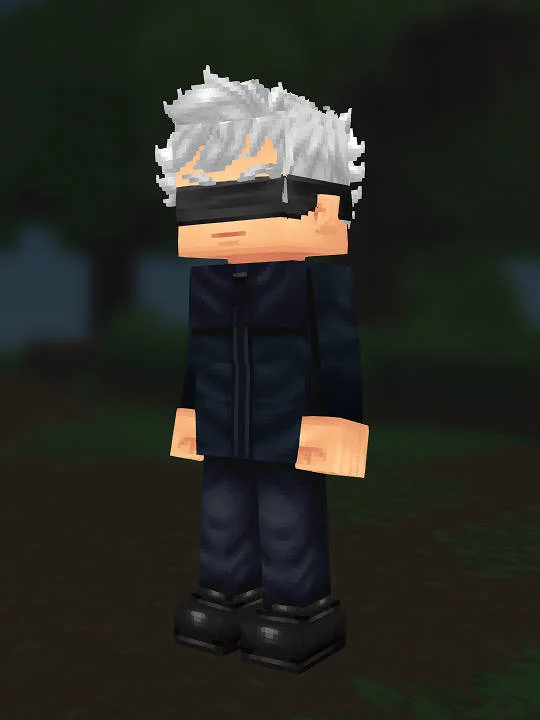
Naruto Uzumaki is a fan-made Hytale recreation based on Naruto; it is a manual creator reference, not an official skin download or an in-game import. The submitted screenshot establishes the visible target, while the JSON records 12 populated creator slots. The build is organized around the strongest anime silhouette and color blocking. Its main anchors are haircut Super Side Slick in Blond, eyes Square Eyes in Orange, overtop Tracksuit Jacket in Orange, and pants Coloured Khaki in Orange. Those are the settings to compare first when checking the full-body silhouette against the screenshot.
Begin with body characteristic Muscular in 02 and ears Default. Then complete the head in the same order used by the creator path: face Face Make Up Highlight, mouth Mouth Long, haircut Super Side Slick in Blond, eyebrows Angry in Blond, and eyes Square Eyes in Orange. Reading the settings in sequence matters because the haircut frames the face, the eyebrows and eyes establish the expression, and the mouth finishes the lower face. The submitted recipe leaves facial hair, face accessory, ear accessory, and skin feature unset, so do not add those pieces merely to fill every menu slot.
Build the clothing from the inside out using base layer Boxer in Red, pants Coloured Khaki in Orange, overtop Tracksuit Jacket in Orange, and shoes Basic Boots in Black. This order keeps an outer garment from hiding an incorrect base layer and makes it easier to compare the color blocks in the player capture. Add head accessory Forehead Protector in Iron Black after the torso and legs are stable. The JSON leaves leg layer, undertop, gloves, and cape empty; those omissions are part of the submitted configuration rather than missing data.
For the cleanest recreation pass, set body and face first, confirm hair and eyes in a front view, assemble the torso, finish the recorded leg settings, and add any accessories last. Compare one section at a time under neutral light instead of changing several tokens after a single screenshot check. Hytale lighting can shift dark, warm, or saturated swatches, so preserve the recorded token before substituting a nearby color. If a future creator update renames a cosmetic, choose the closest available shape and color while keeping the JSON on this page as the historical reference.
This guide is limited to the submitted screenshot and recipe data. It does not claim a pixel-perfect match to every frame or version of Naruto Uzumaki, and it does not reproduce source artwork, dialogue, or game files from Naruto. Its practical value is the reproducible menu path: each populated token is shown in the step list, empty fields remain visibly empty, and the raw JSON is retained for verification. Readers can therefore rebuild the same fan interpretation, identify where Hytale lacks a one-to-one cosmetic, and make deliberate adjustments without losing the original recipe.